
26.5.1
New features
OCR for images: TIFF, PNG, JPG, BMP, GIF and WEBP files are now read with OCR
Improvements
Safer index upgrades: each upgrade checks free disk first, sets aside up to 1,000 documents that fail to copy, and sizes shards to the index across cluster nodes
Faster ROT: ROT now tags files as they are crawled
.NET libraries updated to 10.0.13
IronOcr updated to 2026.10.4
Bug Fixes
Running analysis on all files no longer times out on large sources
Stopping one analysis no longer marks the whole source as Stopped
Run history now shows whether each run was a full crawl, a retry or all files
Content Server delta crawls now update paths under renamed or moved folders
Exchange Online delta crawls no longer blank emails, and emails blanked by 26.5 are repaired
26.5.0
Before you upgrade
-
Two features now need a license add-on. Document Mobility: Downloads beta users from 26.4 will lose access without the add-on. System of Record: replaces the old hidden feature flag.
-
Sources are frozen until manually upgraded. Each index moves to the new mapping, and the source page shows upgrade progress. Large indexes take time. Any jobs still running from 26.4 are stopped first.
Highlights
-
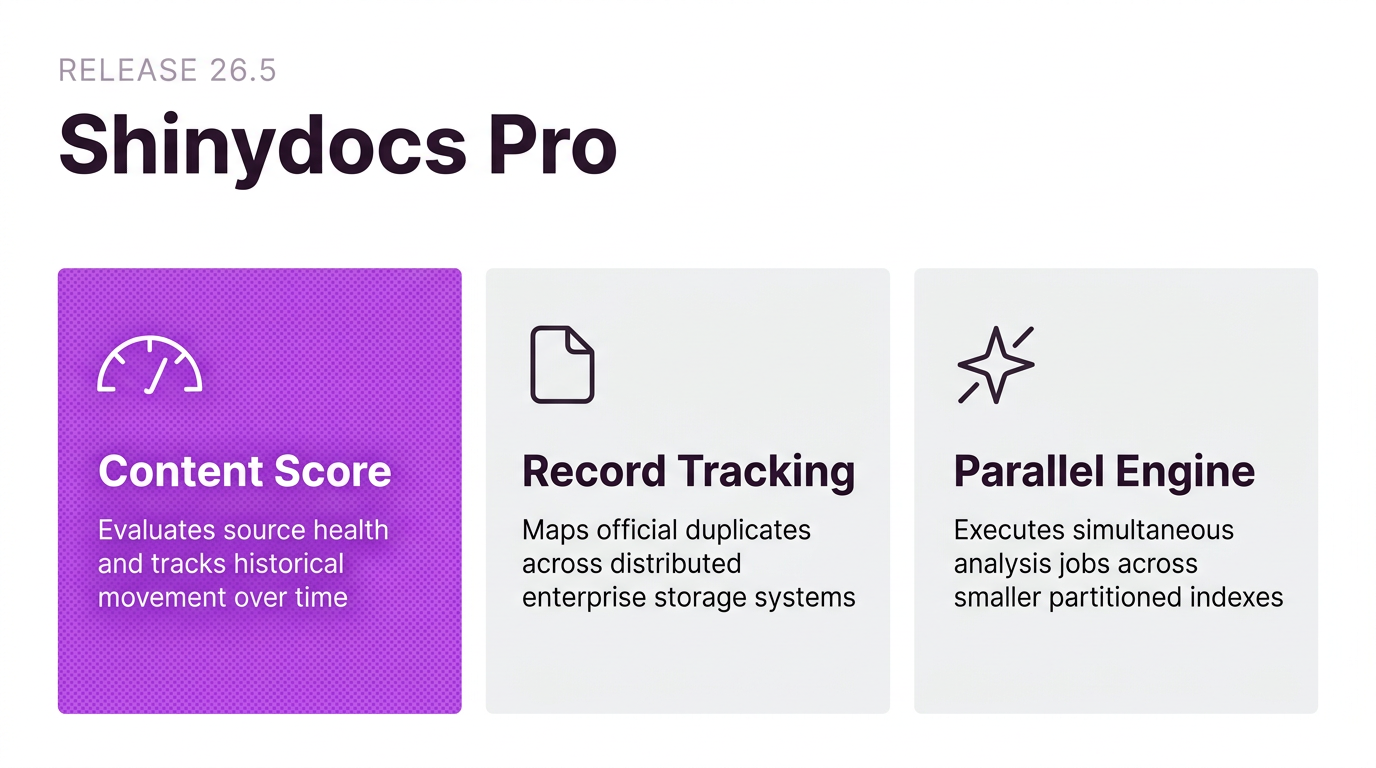
Insights and Content Score (new): Insights (formerly Reports) is now a top-level page. Each source gets a Content Score for PII, ROT and duplicate risk, with a trend over time.
-
System of Record (new, licensed add-on): Finds copies of official records inside and outside the system of record.
-
Document Mobility (licensed add-on): The Downloads beta is now Document Mobility, with fuller auditing and retained reports.
-
Faster, leaner analysis engine (new): All analysis runs in parallel as content streams in. Indexes are up to 76% smaller.
-
Semantic search and AI Overview (new, feature flag): Search by meaning, with an AI-written answer above the results. Works with OpenAI-compatible endpoints, Anthropic and LM Studio. Requires the AI license and its feature flag.
New features
Insights: aggregate insights across all sources, filterable by date range and source
Content Score: per-source score for PII, ROT and duplicate risk, with a trend, configurable through severities
Cascade severity: apply the default severity to every source and clear custom settings. Severity changes now need to be saved
System of Record (licensed add-on): finds copies of official records inside and outside the system of record
Document Mobility (licensed add-on): Downloads leaves beta under a new name, with fuller auditing and retained reports
Faster, leaner analysis engine: all analysis runs in parallel as content streams in, and indexes are up to 76% smaller
Semantic search and AI Overview (feature flag): search by meaning, with an AI-written answer above the results. Works with OpenAI-compatible endpoints, Anthropic and LM Studio. Requires the AI license. Also enables the Generate embeddings tool
Analysis presets: pick a preset or select custom analysis
Live crawl progress: the source page shows crawl progress, history and configuration
Connection test: times each connector stage from the source page and keeps a history
Index information panel: index name, alias, dates, health and shards on the source page. Health details need the System Health flag
Source schedules can now be turned off
Bulk source actions (feature flag): select, run, stop or delete several sources at once. Bulk deletes need typed confirmation
Certificate upload and Windows certificate store support: auto-renewed certificates, such as Let’s Encrypt via win-acme, need no manual step
OAuth for email notifications: replaces SMTP basic authentication, which Microsoft is retiring. Requires a Microsoft Entra app registration
Tool Defaults page: configure analysis tools for every source at once
Background Tasks page: monitor background tasks
Custom reports directory: store reports outside the default location
Mend actions task (feature flag, off by default): repairs items that an interrupted run or upgrade left half-processed
Improvements
Catalogue: per-column filters with conditions such as is, is not, empty and number ranges. Advanced query and filters now combine
Catalogue: edit saved filters in place with Update, Save as new, Revert and Undo
Catalogue: the name column stays in place while scrolling sideways
Catalogue: click a tag in a cell to filter by it
Catalogue: search fields are configurable separately for Shinydocs Search and the Catalogue. Advanced query is always on
Catalogue: remove AI Enrichment tags with the tag remover (feature flag)
Clearer run states: Queued (with the reason), Complete with errors, or Interrupted with progress
Better error messages: tool history shows the actual cause instead of “An unknown error occurred”
Redesigned Intelligence and AI Enrichment pages with model-to-task assignment and provider options
Chat with documents keeps context for follow-up questions
Anthropic workspace ID is supported for organisation-level keys
Faster filesystem deltas: unchanged, already-indexed files are skipped (feature flag)
Faster SharePoint Online deltas: optionally read from the change log (feature flag, off by default)
SharePoint Online now captures parent and default content type
Exchange Online crawls several mailboxes in parallel
Content Server categories and attributes load far faster, and properties show progress
Faster crawl stages in Box, Laserfiche, Azure Files and eDOCS
Larger deployments supported: OpenSearch queries use POST, so many sources no longer overflow a request
Control Centre is ready sooner after install because OpenSearch Dashboards installs last
Settings opens on the last page you visited
Better log search: partial words match, and each entry shows its origin (agent or Control Centre)
AI Overview respects permissions: it only uses documents the user may see, and says so when none match
Third-party dependencies updated to patched versions
Bug Fixes
Duplicate tagging no longer counts zero-byte files, and the
Has Duplicateandrot_redundanttags stay accurateHash and text extraction now honour the maximum file size
Disposal runs on several threads and still reports what it deleted if it fails partway
Tagging from the catalogue works correctly again (feature flag)
AI Enrichment reports accurate counts, handles failures and keeps its settings
SharePoint Online no longer double counts sites when crawling all sites
iManage folder requests now fit within iManage’s limits
eDOCS crawls the root and remote libraries correctly
NetDocuments validates the Client ID, secret and repository when a source is added
Search no longer reports more results than the total, and no longer times out early on slow queries
Logging now supports secured OpenSearch
26.4.0
New features
New source connector: OpenText eDocs
Supports analysis and un-permissioned search
(Beta) Download files from Catalog action menu
Files are written to the download directory configured under Settings > Actions, then packaged for you to download when the job finishes.
Improvements
Upgraded platform .NET 10.0.11
Bug Fixes
Missing fields (e.g sourceID) when disposing or text extracting.
When a new source is added, the casing matches the path.
Fixed an issue where files deleted at a drive's root (e.g. C:) weren't removed from the index.
Fixed a date/time error caused by 24-hour setup in SharePoint Online.
Improved error messages for the iManage connector.
Resolved an issue that caused intermittent 500 errors.
Search preview works again for scanned PDFs.
Long-running tools now show the correct runtime.
Fixed an unformatted error when saving duplicate filters in the catalog
26.3.1 (August 11 2026)
New features
Shinydocs Agent service: Crawl and extraction steps have been separated from the Control Center service into their own service for improved resiliency.
New Analyst role in Control Center: full access to the Catalog (excluding disposal), read-only access everywhere else in CC, and no access to global settings.
[Feature Flagged] Documents can now be processed using AI-based OCR to extract text.
[Feature Flagged] Tools are no longer added by default when creating a source.
Improvements
Administrators able to choose between the blocked (default) or allowed list for text extraction.
Added new hash fields to the index (SHA1, SHA256, SHA-512, and Quickxor).
Upgrading now correctly Enables/Disables Dashboards service (under Settings > Services).
Admins can now enable or disable optional services from Control Center.
Bug fixes
Improved validation and error handling for date inputs in the schedule. Invalid dates are now handled gracefully, preventing application crashes.
Dates outside the selected month are now greyed out in the date picker.
Fixed issue with Catalog showing no records when changing the total count on the last page.
Fixed issue with Catalog where Tagging displayed incorrect numbers.
Corrected pagination displaying in reverse order (e.g. 5-1 instead of 1-5).
Fixed
[+ Filters]not reflecting filters set via URL parameters (e.g. when selecting a saved search).Resolved a "Bad Request" error when navigating to high page numbers in the logs.
Fixed various issues when adding a source:
Azure Files: Now validates that the specified share exists before accepting it, and no longer possible to create exact duplicate sources.
Box: Validates
Userfields.Filesystem: Source names are now set correctly.
OneDrive: Fixed error messages not clearing after correcting invalid fields.
SharePoint Online: When the Tenant URL is incorrect, a proper error message is now displayed.
Fixed issue where “Extracting digital and image content” tool didn’t always stop fully when an analysis run was aborted.
The Access page now correctly displays group names instead of SIDs.
When a Connection is renamed, this is now correctly logged in the Audit.
Usernames are now correctly populated in the queue.
26.2.7 (July 13 2026)
Improvements
Improved resilience for document indexing and repository search when the search engine is shutting down or temporarily unavailable.
New CLI upload refresh control: users can now set the refresh behavior when uploading documents via the CLI using
--refresh-type:
0– Does not wait for a return value.
1– Forces an index refresh.
2– Waits for the automatic refresh (default).Added iManage timeouts for improved processing.
26.2.5 (June 16 2026)
Bug fixes
Fixed an issue where saving an iManage Search connection in Shinydocs Pro incorrectly flagged the OAuth Login Endpoint as invalid. A feature flag is now available to disable OAuth validation during setup as a fallback if needed — this should only be enabled when necessary.
26.2.4 (June 2 2026)
Bug fixes
Improved SharePoint Online crawling by reducing page sizes, filtering irrelevant site paths, and enhancing fetch control and traceability.
26.2.3 (May 12 2026)
Improvements
Performance improvements for iManage sources.
The Laserfiche connector is now generally available.
Bug fixes
Improved status and log reporting for the AI Enrichment tool.
Fixed an issue where recrawling Content Server without a delta produced incorrect crumbs when restoring a deleted item.
Resolved an issue where reports didn't always include all selected items.
Fixed an issue where the (un)tagging progress indicator showed 100% while still in progress.
Fixed an error that occurred when running the Bulk Document Enricher with more than one thread.
Fixed an error when running a migration (version bump/delta) using
--classification-mappingwith--is-records-management.Fixed an issue where tagging failed when using a match phrase (double quotes) in Enhanced Catalog search.
26.2.2 (April 28 2026)
Bug fixes
Fix a bug where users can’t edit or delete their saved filters in the catalog.
Extend migration functionality to support records details for Content Server.
26.2 (April 24 2026)
New features
Data Catalog
Save and reuse searches directly within the Catalog.
Enhanced search experience with full-text search across all content, autocomplete on text fields, and a new Advanced Search for custom query expressions. Feature Flagged
Tag documents directly within Catalog. Feature Flagged
Filter Catalog content by created date.
Reporting & Progress
New Source Analysis with trending and reporting. Continuously monitor your content for risk and compliance and track your progress.
Email summaries to help you stay informed on progress and key insights.
Improvements
Updated date range picker in the Control Center for a more intuitive experience.
Added a confirmation prompt before stopping a run to prevent accidental interruptions.
PowerShell scripts included in the installer are now signed for improved security.
Reports can now be given custom names for easier identification and organization.
Bug fixes
Page titles now display correctly in localized environments.
Fixed an issue where renaming a source reset its hash and text extraction configurations.
Custom columns added via View no longer disappear when also added as filters.
Long file names no longer break the Catalog layout.
Resolved an issue where date field enrichment prevented tag removal in the Catalog.
The Add Classifications step (Control Center) and AddClassifications tool (CLI) now correctly capture data from OpenText Content Server Record details.
Fixed an issue where Azure Files URIs were not properly validated.
Improved stability for iManage delta crawls.
Items with content below the truncation limit now process correctly with AI Enrichment.
Item count and size are now calculated correctly during delta crawl, ensuring sources are locked when license limits are reached.
Security fixes
Control Center web security enhancements:
Enforced TLS 1.2 and TLS 1.3
Strengthened HSTS and cookie security
Resolved vulnerabilities in extraction components related to Jetty server and servlet
12.0.14.Fixed a vulnerability in Enterprise Search dependencies.
26.1.2 (March 27 2026)
Bug fixes
Certificates for custom URLs are now validated correctly again.
26.1.1 (March 13 2026)
Bug fixes
The Azure Files connector can now properly validate certificates.
26.1 (March 10 2026)
New features
New connector: Azure File Share.
The duplicates panel on the overview page now includes a top-ten view that gives customers clearer insight into their data (most frequently duplicated vs largest duplicates).
Improvements
Control Centre can now extract Content Server cats & atts as well as classifications during crawls.
Added the ability to view sources grouped by connection type on the Overview page.
It is now possible to see the total size in the Catalog Feature Flagged .
Sources page improvements:
Users can now configure scheduling directly during source creation for a smoother setup.
Users can now view and modify crawl schedules directly from the Sources page, and the menu order has been updated.
The Advanced Options accordion is now a button that opens a separate page for choosing analysis settings.
New PII detection:
Support for more Canadian driver's licenses (all provinces and territories are now covered).
Support for Maryland driver's licenses.
The previously feature-flagged 'tool configuration' and 'skip hash and text' options are now available by default.
The Agents installer has been added to the bundle installer and Control Centre.
Bug fixes
Audit/Activity:
Fixed an issue where long user IDs in the Audit and Activity modal were causing log entries to not display fully.
Resolved an issue where Tagging details were missing in the Audit.
OpenSearch:
The
opensearch-dashboards.ymlfile is no longer overwritten during upgrades.Control Centre can connect to a secured OpenSearch instance again.
Content Server document versions are now sorted numerically for CLI migrations.
Fixed an issue that prevented the license from being activated.
Cancelling a report now works as expected.
Cancelling out of the password prompt for a protected PDF no longer causes the app to get stuck in a loop.
The "select all" checkbox now correctly displays its partial and full-selection states.
Fixed some vulnerabilities in the Extraction Service.
Maximum field limit per index increased from 1000 to 4000.
The Reset button in the Catalog and System logs has the correct localized label again.
The system source is now read only.
26.0.3 (February 18 2026)
Bug fixes
Fixed an error in logging Add Hash and Text errors.
Fixed multiple issues in the ContentServer crawl.
Added system debugging.
Resolved an issue so wildcard certificates now function correctly.
26.0.1 (January 21 2026)
Bug fixes
Fixed an issue that prevented Box from crawling all files when deactivated accounts were present.
26.0 (January 16 2026)
New
It is now possible to exclude paths and files from being crawled.
Bug fixes
Resolved an issue that prevented the
disposeanddispose-date-utcfields from populating in the dispose report; these fields are now correctly filled again.CLI: Fixed an issue that sometimes skipped on adding crumbs.
Visit Archive - Shinydocs Pro Release Notes for release notes from 25.x and older.