
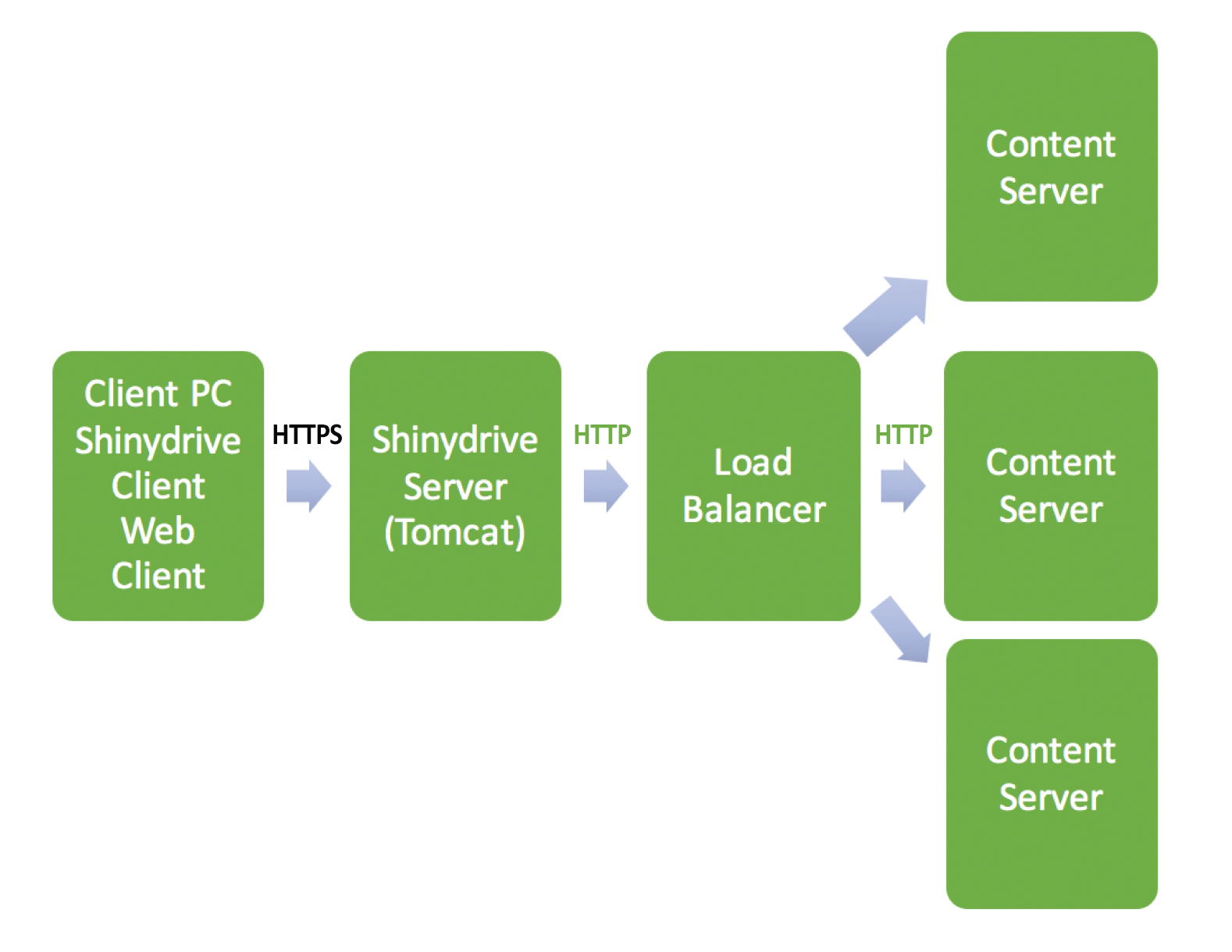
Shinydrive fully supports environments with Load Balancing using HTTPS protocol. The following diagram is an example of a typical configuration:
Tips
Shinydrive Server (Tomcat)
-
If there is more than one Shinydrive Server (Tomcat), EACH instance has to have the exact same configuration. This will ensure a consistent user experience, regardless of which Shinydrive server the load balancer points to.
-
Note that the Shinydrive configuration information is stored in the \usr\local\shinydrive folder for that machine. So, if you have more than one Shinydrive Server, each needs to have an exact copy of these folder contents.
Content Server
-
Each front-end will have to have the Shinydrive Service Module installed. This will require a restart of each front-end Content Server.