
This feature is available with Shinydrive version 2.1.0 or later.
-
Log into the Shinydrive Admin Panel
-
Navigate to DRIVES & PROFILES
-
Select the drive you want to update
-
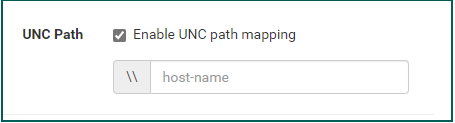
Locate the UNC Path section
-
Check the Enable UNC path mapping checkbox
-
Enter a host-name value in the newly displayed field
-
Scroll down to the bottom of Advanced Settings
-
Save
Users must exit and restart the Shinydrive Client application for these changes to take effect.