
Problem
When accessing a drive the error message pops up “There are too many children in this folder to display”
Solution
Follow these steps to increase the number of folders to display:
-
Log into Shinydrive Admin
-
Select Drives & Profiles
-
Click on the Content Sources section
-
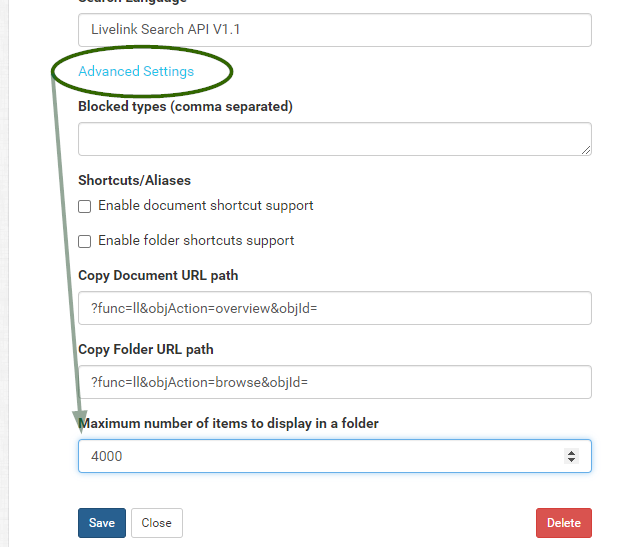
Select Advanced Settings
-
Change the value of Maximum number of folders to display to a larger number (the default is 2000)
-
Click on Save
Known issue:
If Shinydrive Admin does not retain this setting and reverts to 2000 rather than what has been manually configured a hotfix has been released, version 2.5.2.5 and is available from support. You will need to refer to (2.5.2.5) Applying A Hotfix for Shinydrive Server to update the shinydrive-server component.