REMEMBER TO ALWAYS
-
Set the minimum and maximum to the same value
-
Only ever set it to half of the available system memory
Run the following from an administrative command prompt from the /bin directory of the Shinydocs Search Engine (OpenSearch) install.
opensearch-service-mgr.exe //ES//shinydocs-search-engine
(or if it is a default install, you can run
"C:\Program Files\Shinydocs Professional\SearchEngine\bin\opensearch-service-mgr.exe" //ES//shinydocs-search-engine
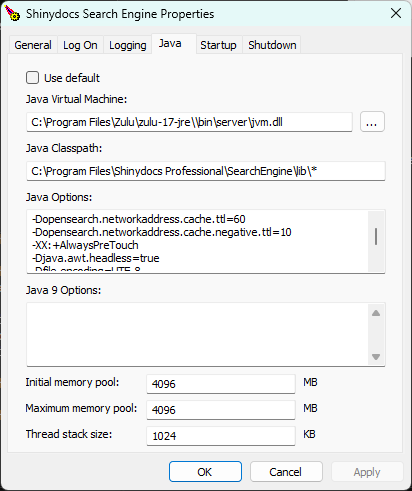
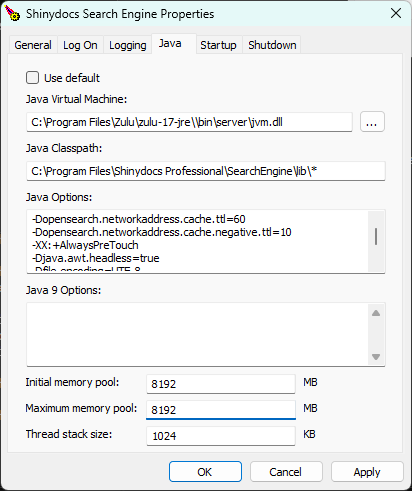
This will pop up a window, and then you can edit the options near the bottom of the Java tab.
Set both the Initial memory pool and Maximum memory pool to the same value.
The value should be half of your systems available RAM.
e.g. If your system has 64 GB, enter 32768.