
If you plan to configure Discovery Search for integration with Microsoft Online applications, you must configure the tokens that will be issued from the authorizing endpoint.
-
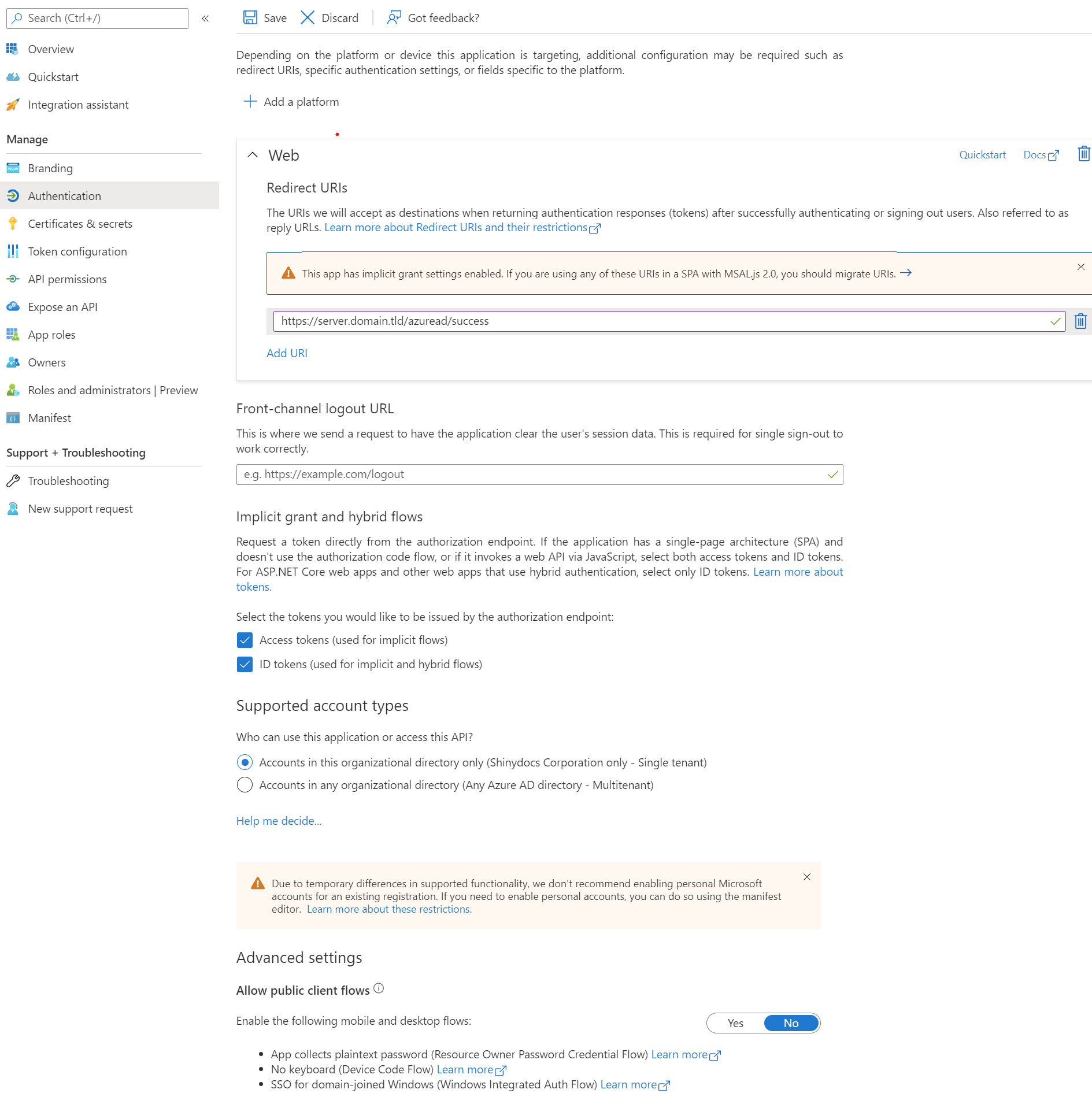
Navigate to Authorization in Azure Active Directory
-
Update Redirect URIs: This should be in the form of http[s]://[DiscoverySearchServerName:Port]/azuread/success
Note: /azuread/success is mandatory after you have specified the Discovery Search server name and port. -
Select both Access tokens and ID tokens in the Implicit Grant and Hybrid Flows section
-
Front-channel logout URL can remain empty
-
Ensure Supported account types is set to Accounts in this organizational directory only (single tenant)
-
Ensure Advanced settings - Allow public client flows is set to No
-
Save changes