
Advanced instructions for disposing of data from your file share.
-
Open the Cognitive Toolkit by opening a windows command prompt in Administrator Mode
-
Change directory (cd) to where you extracted the shinydocs-cognitive-toolkit-yyyy-mm-dd.zip file
-
To see all of the available options for the Dispose tool, use the following command within the root folder of the Cognitive Toolkit:
CognitiveToolkit.exe Dispose --help
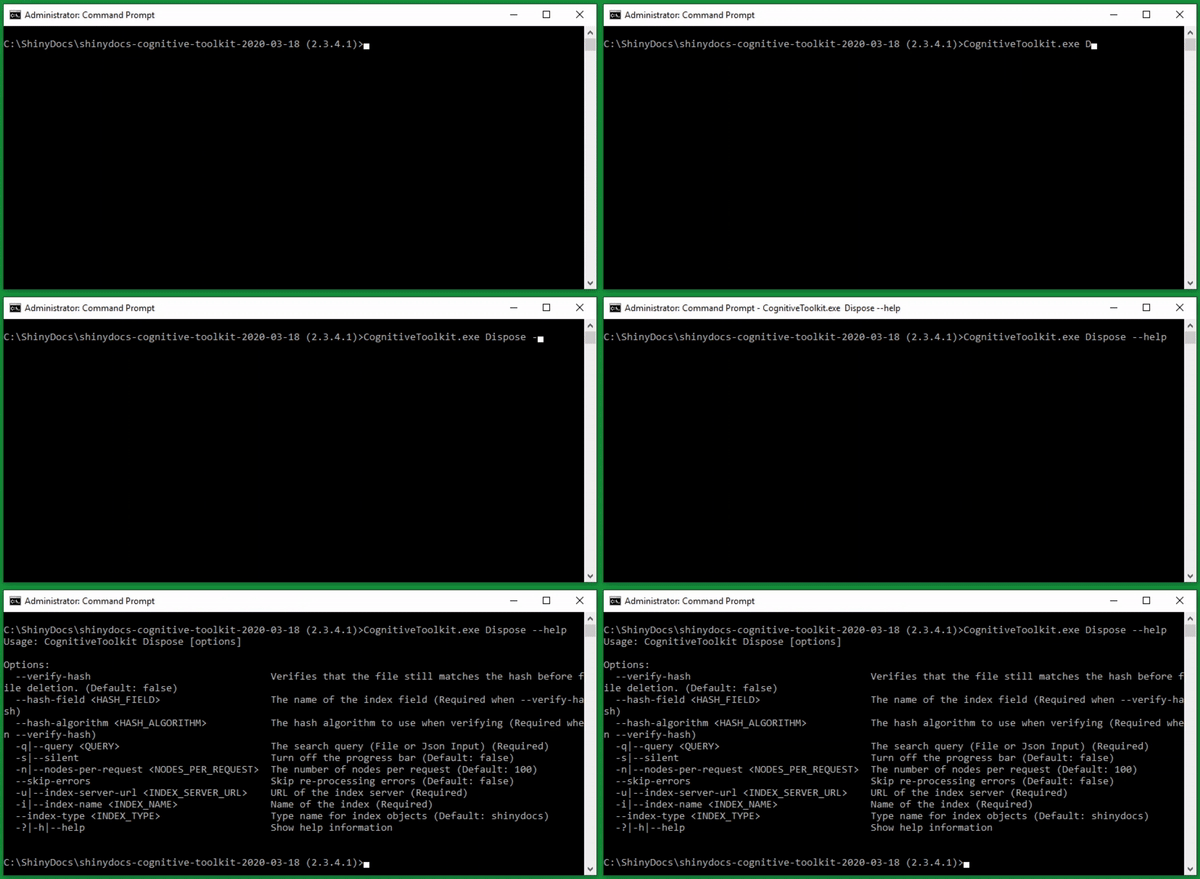
Command options:
|
Command |
Required/Optional |
Info |
|
--verify-hash |
Optional
|
Verifies that the file still matches the hash before file deletion |
|
-hash-field <HASH_FIELD> |
Required |
The name of the index field (Default from AddHash tool: hash) |
|
-hash-algorithm <HASH_ALGORITHM> |
Required |
The hash algorithm to use when verifying (For example; md5, sha1, sha256, sha512) |
|
-q|--query <QUERY> |
Required |
The search query (File or Json Input) |
|
-s|--silent |
Optional
|
Turn off the progress bar |
|
-n|--nodes-per-request <NODES_PER_REQUEST> |
Optional
|
The number of nodes per request |
|
-skip-errors |
Optional
|
Skip re-processing errors |
|
-u|--index-server-url <INDEX_SERVER_URL> |
Required |
URL of the index server |
|
-i|--index-name <INDEX_NAME> |
Required |
Name of the index. Note the value used here as it will have to match what is used in future Cognitive Toolkit tools (such as addHash). |
|
-index-type <INDEX> |
Optional
|
Include a name for the index objects. If you do not include a name, the name “shinydocs” will be recorded here. |