
Shinydocs Pro runs a few tasks in the background, across all sources, to keep the catalog accurate. Go to Settings > Background tasks to see what each one has done and whether it is up to date.
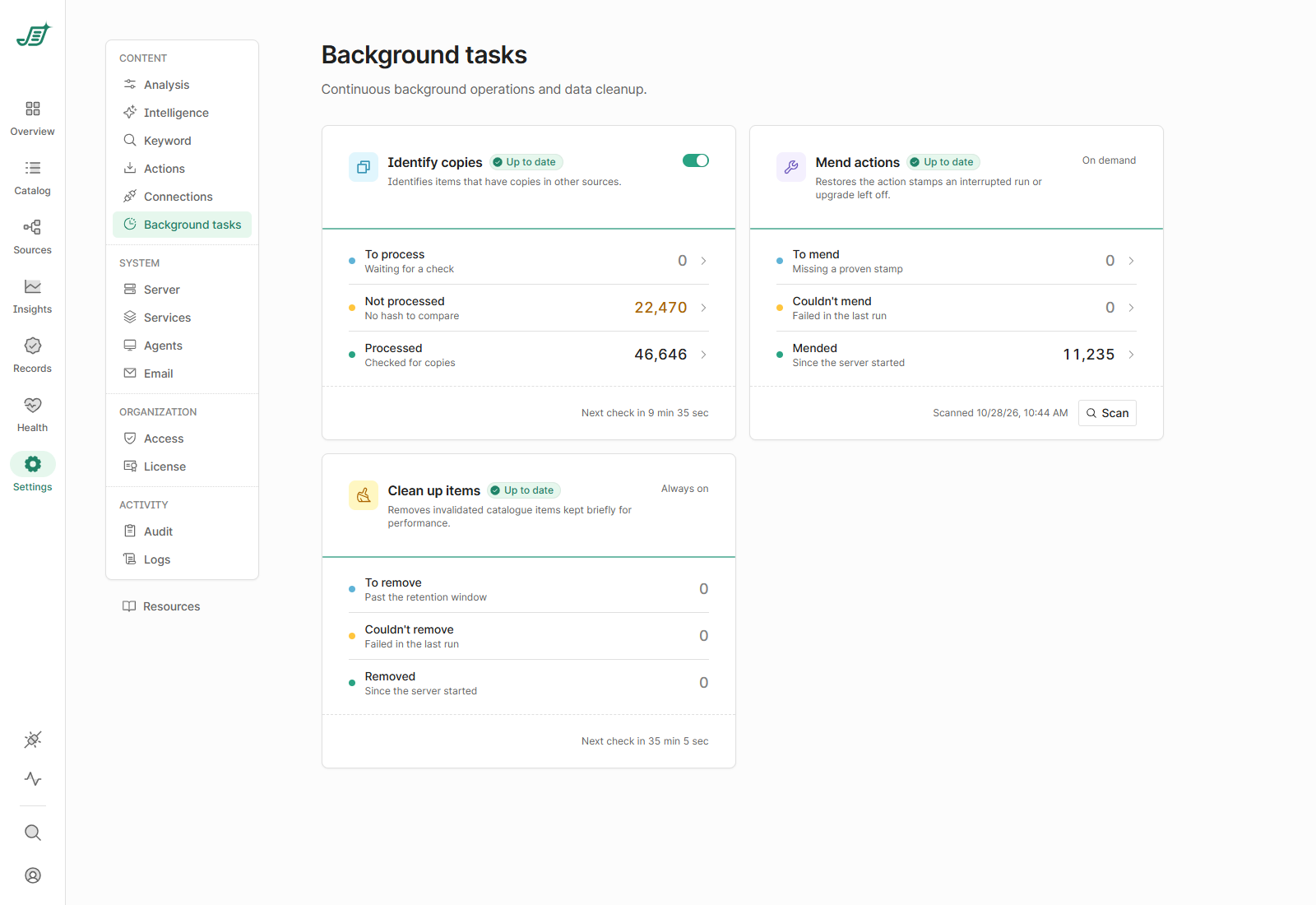
Each task shows a status, such as Up to date, Running, Waiting, On hold, Overdue, Last run failed or Off. Select a figure to see more detail.
Identify copies
Finds items that have copies anywhere in your sources, by comparing their content fingerprints (hashes). Files are only compared once File fingerprints has run on their source. Results show in the Catalog's Duplicates column and on the Overview.
-
To process: items waiting for a check.
-
Not processed: items with no fingerprint to compare, for example because File fingerprints is off for their source or the file was too large.
-
Processed: items checked for copies.
It checks for new items automatically (Next check in …), waits longer when there is nothing to do, and starts sooner when a crawl or fingerprinting adds items. Use the switch to turn duplicate detection off or on; it is on by default.
Mend actions
Only use this feature if instructed to by Shinydocs Support.
This is an experimental feature and can be enabled in /flags under Mend Actions.
Shinydocs Pro records on each item which analyses have run on it. If a run or an upgrade is interrupted, some of those records can be missing, and analyses may run again on items that don't need it. Mend actions puts them back.
It runs only when you start it:
-
Select Scan. To mend shows how many items are missing a record, broken down by source and analysis.
-
Select Mend all.
Mended and Couldn't mend show the results since the server started.
Clean up items
When items are removed or replaced in the catalog, Shinydocs Pro keeps the old entries for a short time for performance. This task removes them once they are past the retention window (7 days). It is always on and checks every hour.
-
To remove: entries past the retention window.
-
Couldn't remove: entries that failed in the last run.
-
Removed: entries removed since the server started.